Stop waiting for exports
StorePulse reads the live POS database directly so you can answer operational questions without pulling CSV files or rebuilding spreadsheets.
Retail intelligence for MySQL POS stores
StorePulse connects to your point-of-sale database and turns sales, stock, customer, quotation, and reporting data into one desktop admin workspace. It is built around the realities of retail operations, especially stores running UniCenta oPOS.
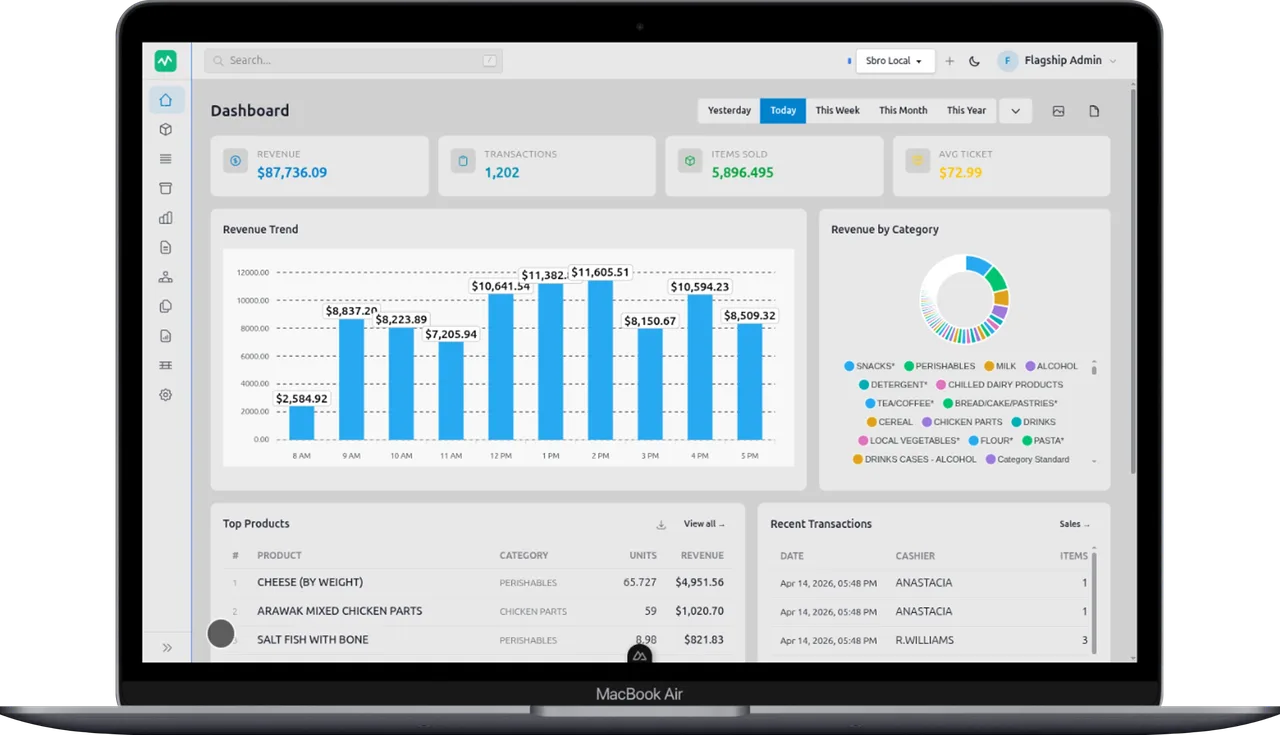
Today
Live Revenue and transactions update from the store database.Stock
Low Thresholds surface weak inventory before shelves go empty.Branches
Multi Switch profiles and compare store data where it matters.Why teams adopt it
StorePulse is for store operators who already have data and need a reliable way to use it every day without extra reporting overhead.
StorePulse reads the live POS database directly so you can answer operational questions without pulling CSV files or rebuilding spreadsheets.
Low-stock items, weak categories, and sales slowdowns are visible while they are still fixable instead of after the week is over.
Dashboards, reports, customer history, quotations, and branch comparisons live inside one desktop admin tool instead of scattered tools.
Operational workflow
The setup path is intentionally simple: install the app, add the existing database connection, and work from live store data. No sync jobs. No spreadsheet cleanup. No extra reporting service between you and the numbers.
Choose Windows, Linux, or Android and get the client onto the machine your operators actually use.
Enter the same MySQL connection details your POS already relies on. For UniCenta stores, that means no new operational system to learn.
Use dashboards, stock tools, reports, invoices, and product comparison flows from one place instead of stitching together exports.
Sales visibility
The core dashboard gives managers revenue movement, recent transactions, top products, and branch activity without asking them to understand the database underneath it.
Inventory control
Inventory views surface current quantities, movement, and low-stock thresholds so purchasing decisions happen from live store data instead of memory.
Reports and print flows
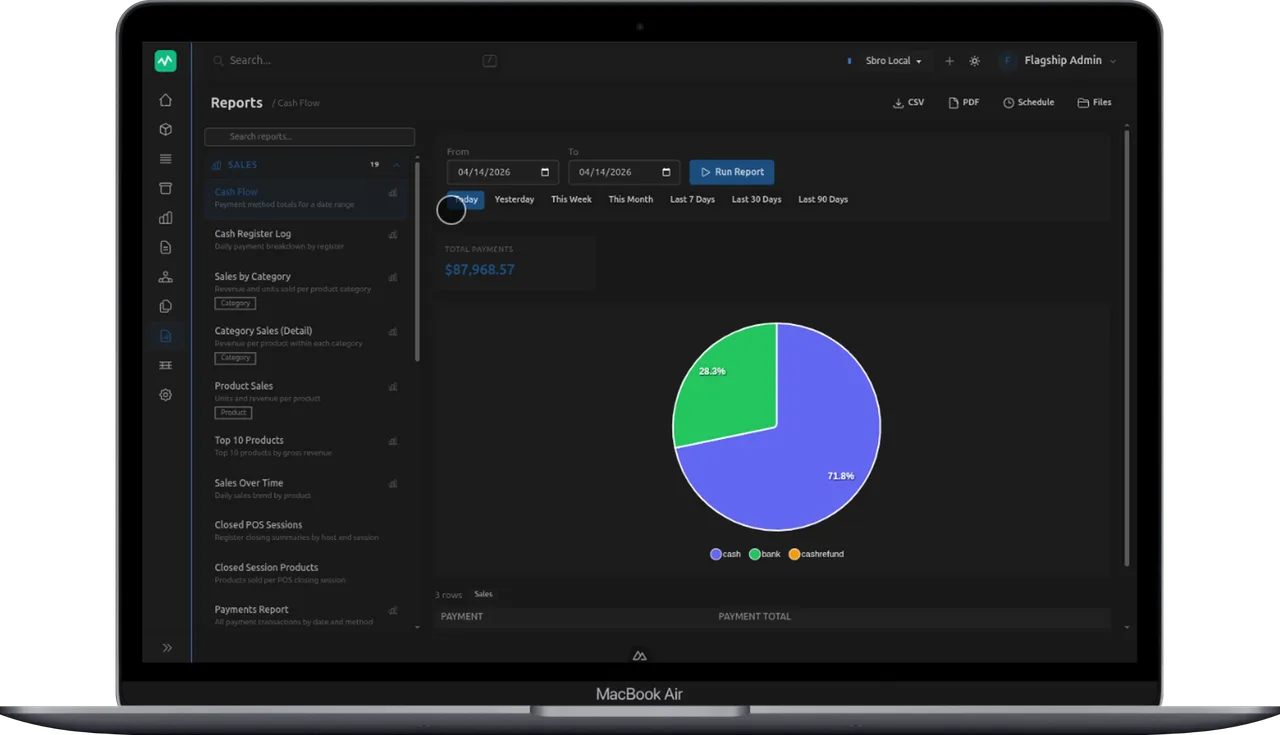
StorePulse generates PDF reports, quotations, invoices, and supporting operational views so the data is useful to managers, owners, and frontline staff.
Revenue, transactions, categories, and recent activity from your live POS records.
Stock levels, thresholds, and product movement in one operational view.
See purchasing patterns, account history, and relationship context faster.
Compare products across branches and spot mismatches before they spread.
Generate PDFs for sales, cash flow, invoices, and quotations without extra tooling.
Switch between stores or branches without rebuilding the app setup each time.
Screens
The home page should show the actual application clearly. These views are the product operators work with once the database profile is connected.
Pricing
The offer is intentionally simple. StorePulse is sold as a flat monthly subscription for stores that want the desktop admin workspace, customer portal access, and product downloads without tier confusion.
If you are evaluating POS options first, UniCenta oPOS is free and open source and can be downloaded from SourceForge.
StorePulse subscription
Per store. Customer portal access, desktop downloads, live dashboards, reporting tools, and ongoing product updates included.
Downloads
Release downloads stay visible on the homepage because installation is part of the first-run workflow, not a separate afterthought.
FAQ
StorePulse is designed for MySQL-backed POS environments and is positioned directly around UniCenta oPOS, which is free and open source.
Operational POS reads happen against your database profile directly. The app is built so store operators can work from local data instead of shipping it into another analytics stack.
Yes. StorePulse supports multiple database profiles and branch-oriented comparison workflows so you can move between stores and inspect differences quickly.
The main desktop admin experience includes dashboards, reports, inventory tools, pricing workflows, and account access through the StorePulse customer portal.
Ready to install
Create an account, download the build for the operator machine, connect the POS database, and start working from live store data instead of after-the-fact exports.